> For the complete documentation index, see [llms.txt](https://help.flowerbuddy.co/llms.txt). Markdown versions of documentation pages are available by appending `.md` to page URLs; this page is available as [Markdown](https://help.flowerbuddy.co/reference/tasks/edit-task-details.md).
# Edit a task name and description
Edit a task when its work needs clearer wording or more detail. You can edit the task name or description directly on its card or List row.
## Change the task name
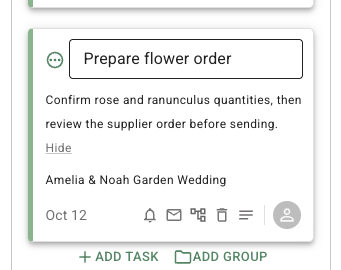
Click the task name, enter the new wording, then press **Enter** or click outside the field to save it. A task name cannot be blank. FlowerBuddy trims blank space from the beginning and end of a name and keeps the saved name on the task.
Use a name that describes the work, such as "Confirm centerpiece quantities" rather than a general reminder. The name is also used when another task's due date depends on completing this task.
The task name field opens in place on the card so you can edit the existing name.
## Change the task description
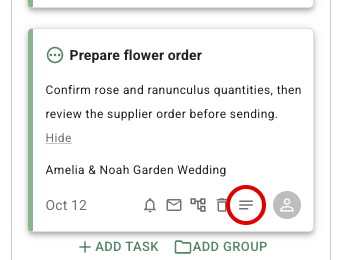
On a Board card, click the **Show description** icon first, then click the description text. In List view, click the description text directly. Enter the details the person doing the work needs, then press **Enter** or click outside the field to save it. A description can be empty, while the task name cannot.
Descriptions help distinguish the work without changing its status, due date, assignment, group, notification setting, or Email template. Use the task's other controls when one of those details needs to change.
The Board card below shows the description after the **Show description** icon has been selected.
## Saved task details
The updated name or description remains on the task after the field closes. The task stays in its existing Board lane or List position unless you separately change its status or a filter changes what is visible.