> For the complete documentation index, see [llms.txt](https://help.flowerbuddy.co/llms.txt). Markdown versions of documentation pages are available by appending `.md` to page URLs; this page is available as [Markdown](https://help.flowerbuddy.co/reference/tasks/create-and-manage-task-groups.md).
# Create and manage task groups
Create a task group when several tasks belong to one larger piece of event work. A group keeps the related tasks together and summarizes their progress without replacing the individual tasks.
## Create a task group
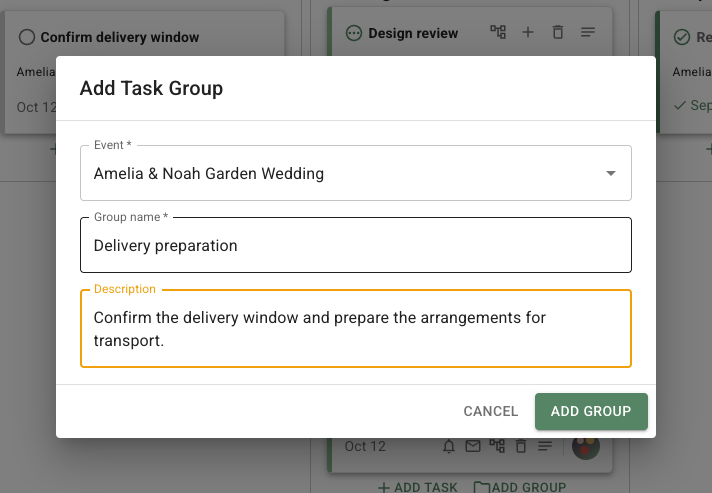
From the **Tasks** page, select **Add Group**, choose an **Event**, enter a **Group name**, and optionally enter a **Description**. From an event's **Tasks** tab, select **Add Group** to create the group directly for that event.
This example groups delivery preparation for one event. Complete these fields, then select **Add Group** to create it.
The page-level **Add Group** starts a group in **To Do**. An **Add Group** button inside a Board column uses that column's status. The dialog does not have a separate status field. Add child tasks to the group from the group card or by choosing the group when creating a task. A child task and its group must belong to the same event.
## Group progress
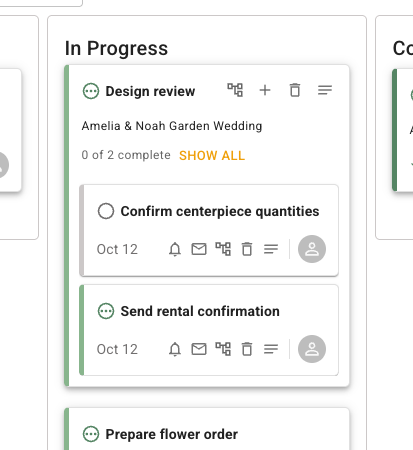
A group shows a progress summary such as `1 of 2 complete`. Its status can be **To Do**, **In Progress**, or **Complete**, while each child task has its own status. A group with no tasks is still a group, but it has no child work to summarize.
In Board view, groups appear in the lane for the group status. In List view, a group row appears before its visible child tasks. Use **Show All** to expand a group's full set of child tasks when its preview does not show everything.
The **Design review** group below contains two tasks with their own statuses and due dates. Its progress summary counts completed tasks in the group.
## Remove a group
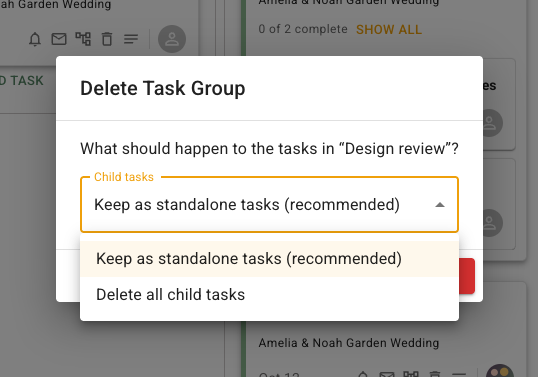
When deleting a group with child tasks, choose whether to keep the child tasks as standalone tasks or delete all child tasks with the group. If a child task depends on the group or another task would lose a required date rule, FlowerBuddy can require a replacement due-date rule before deletion.
The group deletion dialog presents the choice between keeping child tasks as standalone tasks and deleting them with the group.
Removing a task from a group makes it standalone. It keeps its own task details, including its status and due-date rule, unless you change them separately.