> For the complete documentation index, see [llms.txt](https://help.flowerbuddy.co/llms.txt). Markdown versions of documentation pages are available by appending `.md` to page URLs; this page is available as [Markdown](https://help.flowerbuddy.co/reference/tasks/choose-board-or-list-view.md).
# Choose Board or List view for tasks
Choose the presentation that matches how you review work. **Board** and **List** show the same tasks and groups; changing the presentation does not create or move a task.
## Board view
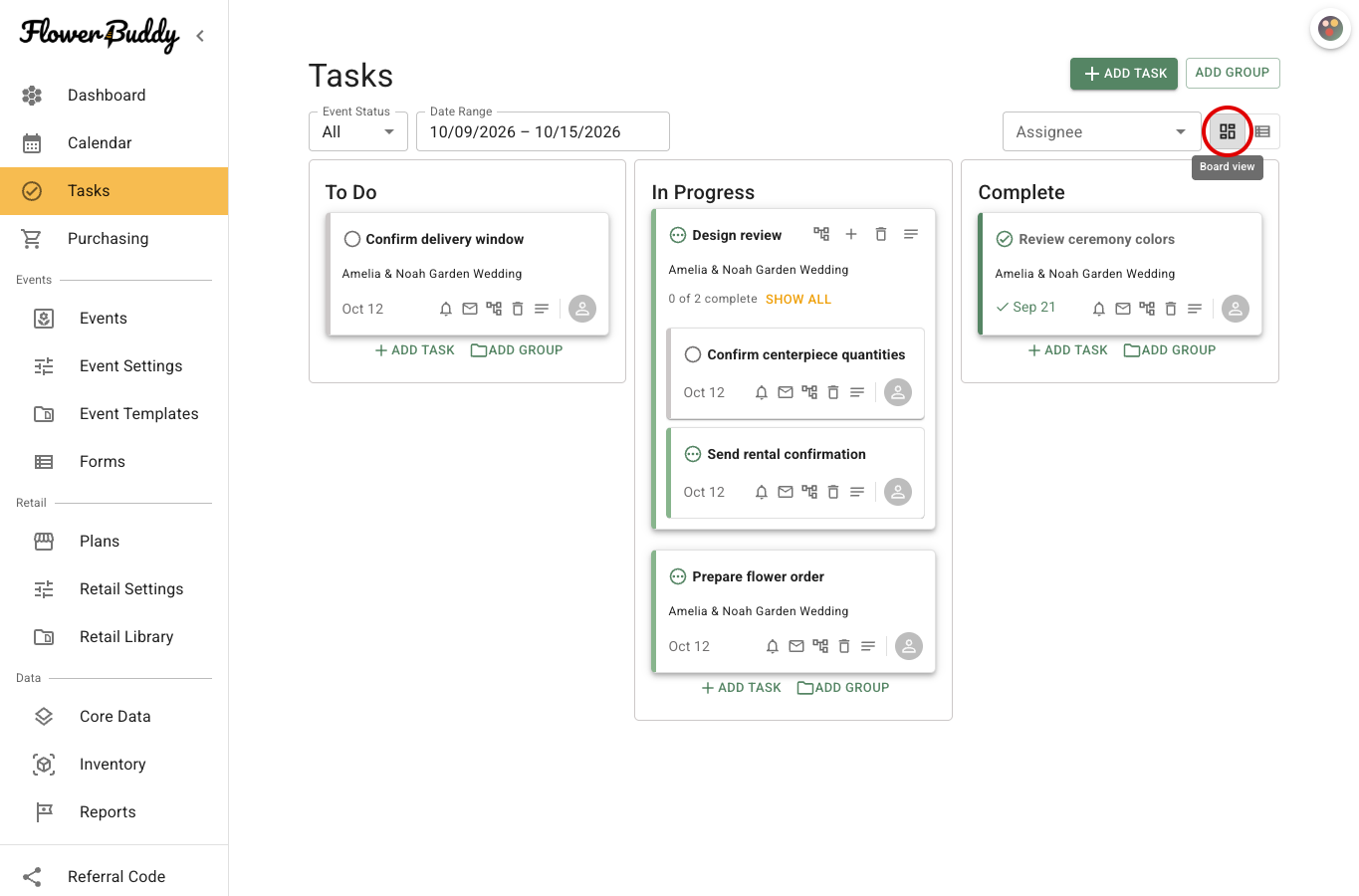
**Board** places work in **To Do**, **In Progress**, and **Complete** columns. Use it when the status of each task matters most or when you want to scan where work has stalled. A task group appears in the column for the group's status, with its child tasks shown inside the group when expanded.
On the Board, a task or task group can be moved to another status column. A task moved into a group must belong to the same event as that group. A task taken out of a group becomes a standalone task.
Select **Board** above the tasks to see the three status columns. The circled view button switches to this presentation.
## List view
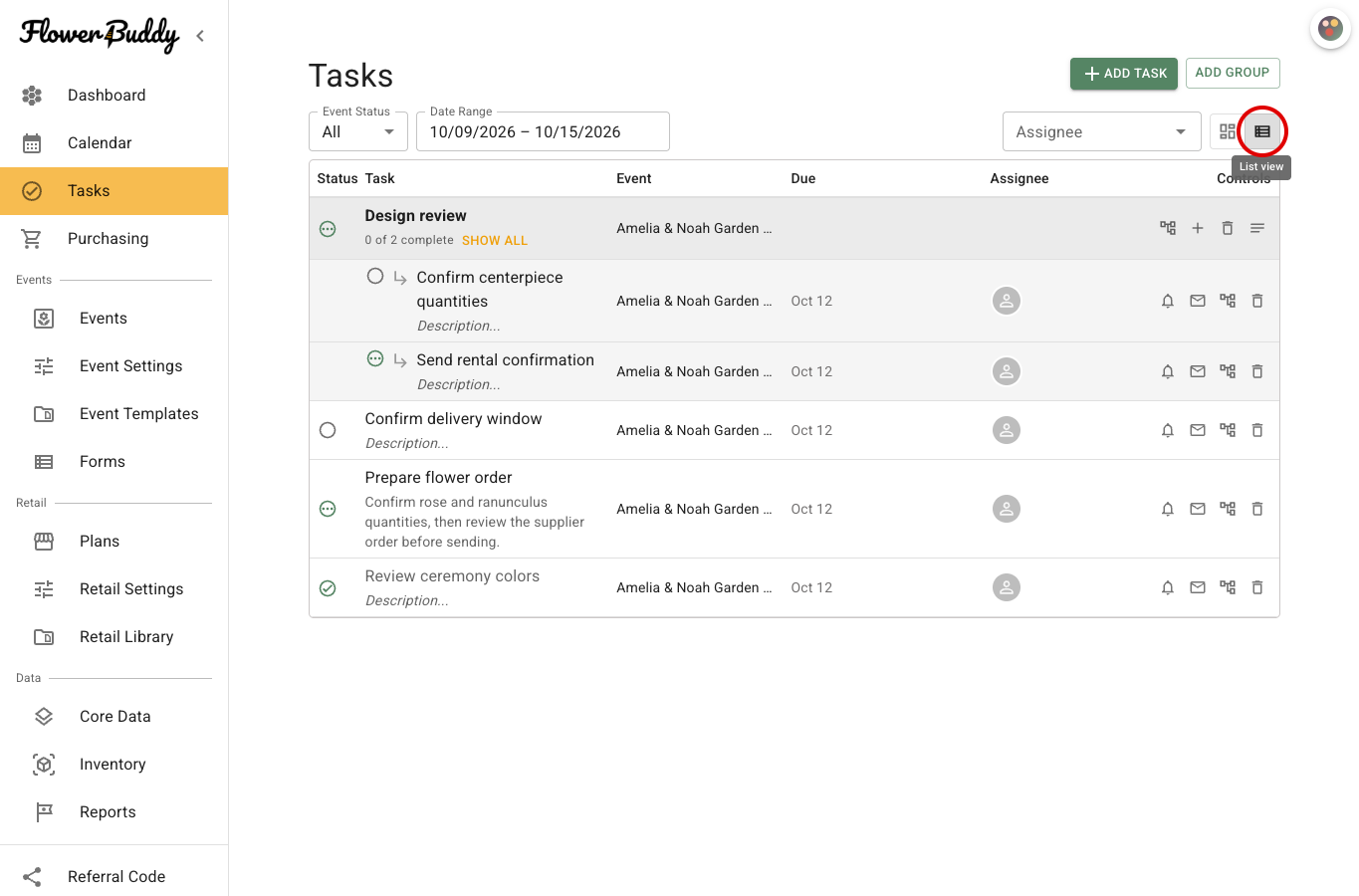
**List** arranges the same work in a compact list. On a wide screen, the list can show **Status**, **Task**, **Event**, **Due**, **Assignee**, and **Controls**. On the Tasks page, the Event column helps you distinguish tasks belonging to different events. On smaller screens, these fields are stacked into each task's row.
Task groups appear as group rows with their progress summary, followed by the visible child tasks. Use **Show All** on a group when you need to review every child task instead of the group's preview.
To compare work in rows, select **List** in the view control above the tasks. Review the **Event**, **Due**, and **Assignee** columns, then select **Board** to return to status lanes. The screenshot shows the populated List presentation and its event-specific columns.
## Choose a view
Use Board when status lanes help you decide what to work on next. Use List when comparing event names, due dates, assignees, and task controls is more useful.
To make the presentation part of your normal Tasks page setup, choose **Board** or **List**, set the filters you want to keep, then select the star labeled **Save current view as default**. The saved default belongs to your account and workspace in this browser. It does not change another member's view. See [Filter tasks on the Tasks page](/reference/tasks/find-tasks-that-need-attention.md) for the other saved choices.