> For the complete documentation index, see [llms.txt](https://help.flowerbuddy.co/llms.txt). Markdown versions of documentation pages are available by appending `.md` to page URLs; this page is available as [Markdown](https://help.flowerbuddy.co/reference/retail-plan-page/recipes/manage-product-details.md).
# Manage product details
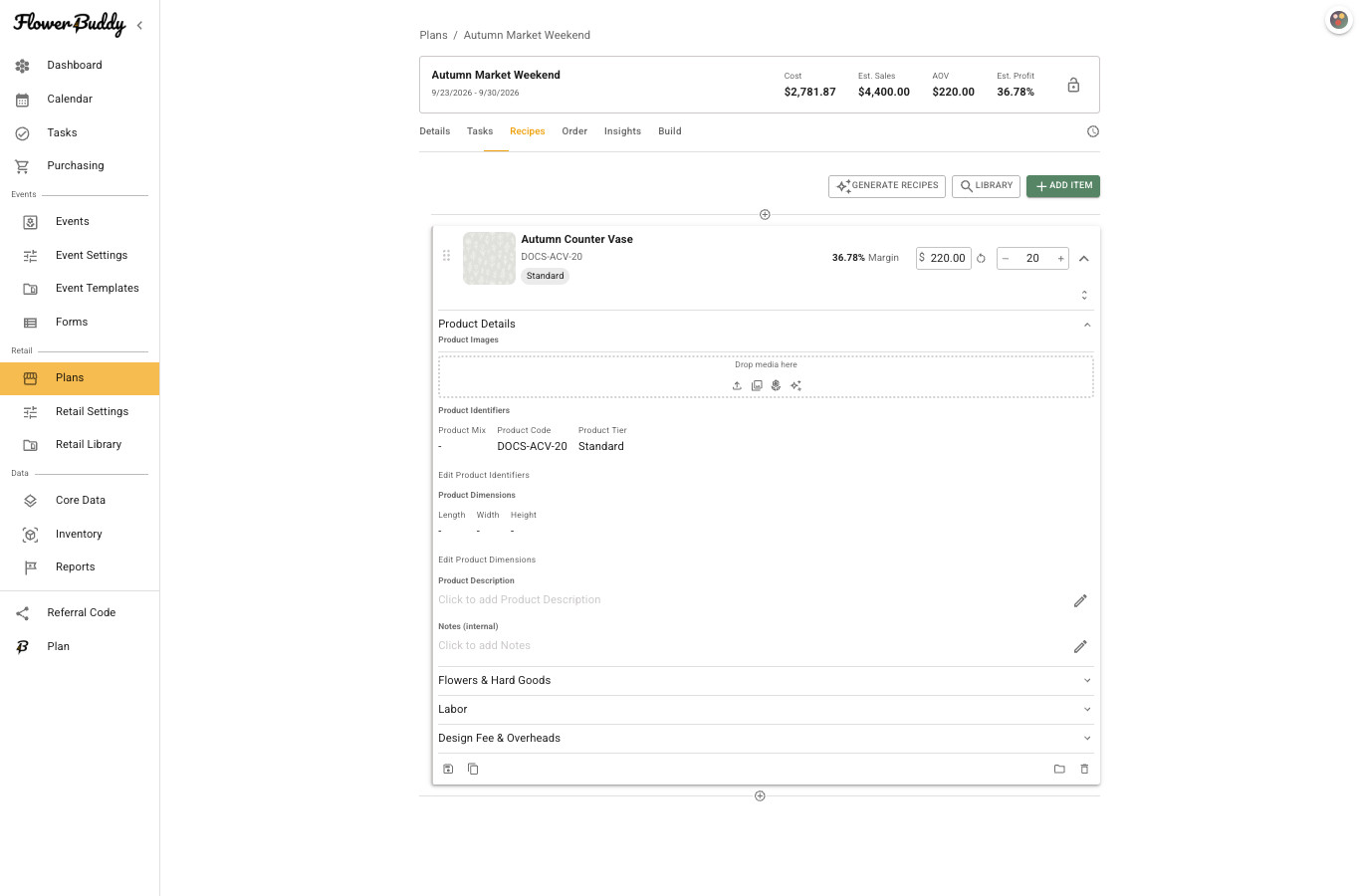
Expand a product on **Recipes** to manage the information that identifies and describes it. **Product Details** can hold its name and product image. **Product Identifiers** includes **Product Code** and **Product Tier**, which help distinguish products in a collection and in available Insights summaries.
Use **Product Dimensions** for length, width, and height when those details help preparation or display. **Product Description** holds the product-facing description. **Notes** hold Florist Notes (for your eyes only) for preparation context. They are not the product-facing description, but they are visible to anyone who can open Retail Quick Reference.
Keep the product image and description specific to the product. A retail plan does not use a plan-level image control. Add flowers, hard goods, labor, pricing, and quantities in their corresponding product sections instead of trying to encode those details in the description.
## Identify the product
Select the product name in **Product Details** to change it. Use the product-image control to add or replace an image that helps staff recognize the intended product. Select the description field to write the product-facing description, and use **Notes** for Florist Notes (for your eyes only) that support preparation.
Select **Edit Product Identifiers** to update **Product Code** or **Product Tier**. A product code can help a team distinguish similar products at the counter or in build information.
## Add a product tier
A product tier identifies a version of a product, such as Standard, Deluxe, or Premium. You choose the names and what they mean. These are examples, not built-in choices. Assigning a tier does not change the ingredients or selling price; set those separately in the product.
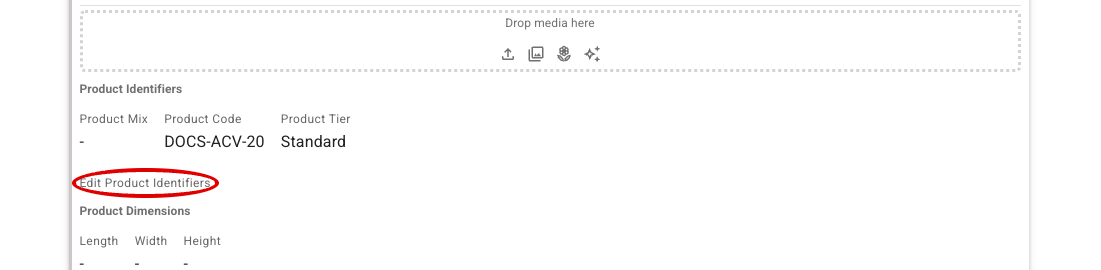
The identifier values are displayed as text until you select **Edit Product Identifiers**, circled below.
1. Open the retail plan's **Recipes** tab and expand the product. Open **Product Details** if that section is collapsed.
2. Under **Product Identifiers**, select **Edit Product Identifiers**. This changes the displayed values into editable fields.
3. Click the **Product Tier** field. Select an existing tier, or type a new name. For example, type `Deluxe`, then select **Add 'Deluxe'** from the list.
4. When the tier name appears in the field, select **Done Editing**. The name now appears under **Product Tier** on the product.
Selecting the existing tier or the **Add** option saves the assignment. Typing a name without selecting the option does not create a tier. New tiers become available for other products and appear in [Core Data > Product Tiers](/reference/core-data/product-tiers.md).
If you can see **Product Tier** but no dropdown, select **Edit Product Identifiers** first. If the open field has no choices, type the name you want to create. You do not need to create tiers in Core Data first, and visible identifier fields do not need a separate enabling step.
For a custom recipe saved in **Retail Library**, use the **Product Tier** field in its template editor instead. See [Add a tier to a saved recipe](/reference/retail-library/recipes/create-and-edit-recipes.md#add-a-product-tier).
Tiers can appear in the plan's available Insights summary. Set and review the product's price separately in [Price products and review margins](/reference/retail-plan-page/recipes/price-products-and-review-margins.md).
## Add practical context
Use dimensions when physical size affects a container, display, or production decision. For example, a description can say "seasonal bud vase" while a note can remind the team to keep the arrangement low for the counter display.
Add or replace a product image only when it helps the team identify the intended product. An image should support the product details, not substitute for checking its ingredients or build instructions.
## Check the Quick Reference view
When staff open a product in [Retail Quick Reference](/reference/retail-plan-page/build/use-retail-quick-reference.md), they can see its available images, product description, estimated labor time, Florist Notes, and ingredient items with their quantities. Keep those details useful for preparation. A Quick Reference reader does not need to open the retail plan to see that product information, so do not put information there that should remain limited to plan members.