> For the complete documentation index, see [llms.txt](https://help.flowerbuddy.co/llms.txt). Markdown versions of documentation pages are available by appending `.md` to page URLs; this page is available as [Markdown](https://help.flowerbuddy.co/reference/purchasing/create-manage-orders/review-quantities.md).
# Review purchasing quantities
The **Summary** on [Create & Manage Orders](/reference/purchasing/create-manage-orders.md) adds up recipe requirements by flower or hard good. Read the unit names as well as the numbers: stems, bunches, boxes, and individual hard goods are not interchangeable.
## Read the summary
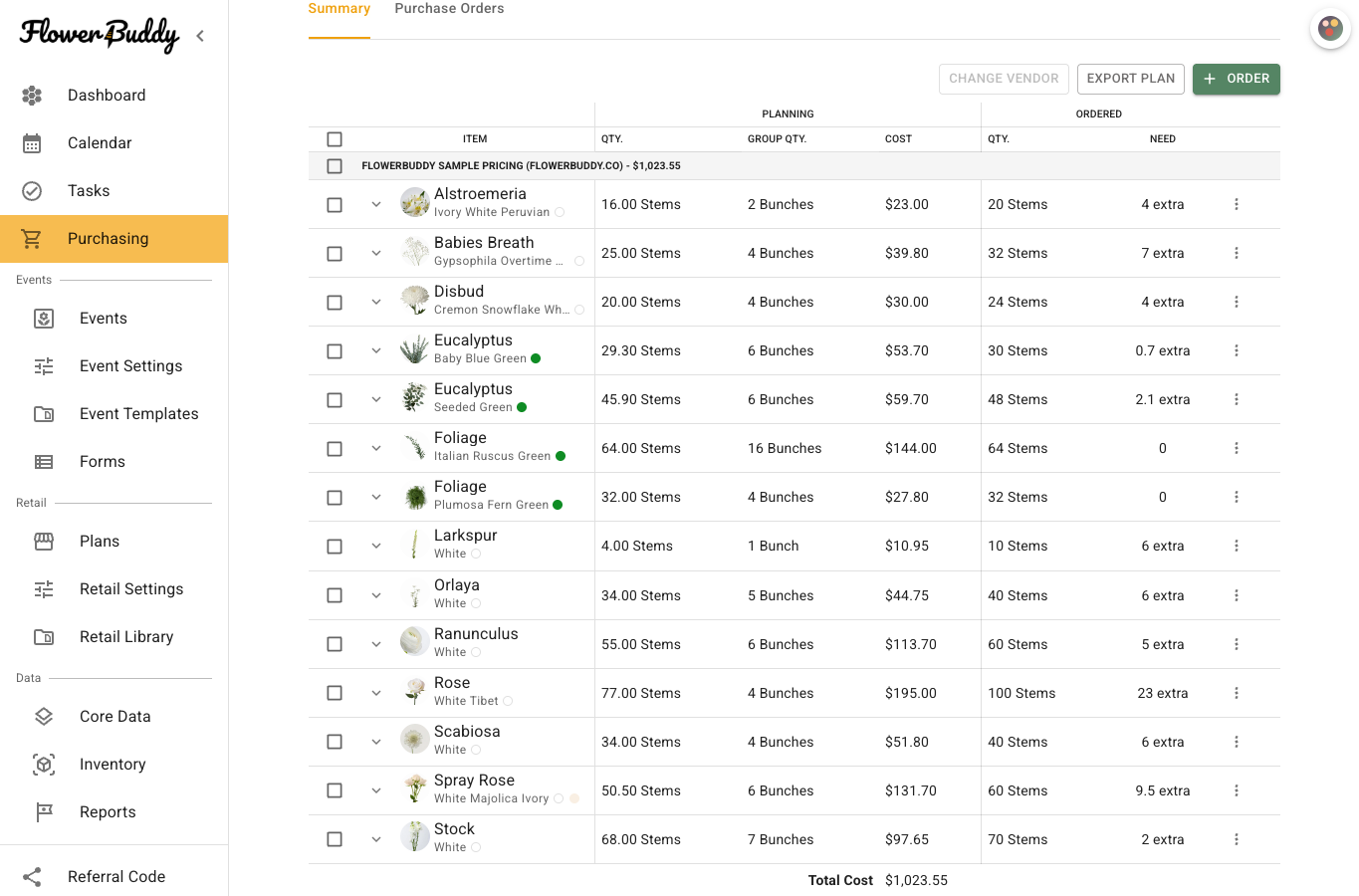
The summary groups items by vendor. Before purchase orders exist, it shows planned quantities, buying groups, costs, and expected waste. Once orders exist, it also compares planned and ordered quantities. The example below is this second state: an order has been created, so **Ordered** and **Need** appear instead of the pre-order **Waste** column.
* **Qty.** under **Planning** is the quantity required by the recipes.
* **Group Qty.** is the buying quantity in groups such as bunches. Check the number of stems or units per group in the item's price settings.
* **Cost** is the planned buying cost, not the amount charged to the client.
* **Waste** shows the difference caused by buying whole groups before orders have been created.
* **Qty.** under **Ordered** is the quantity recorded on purchase orders.
* **Need** shows a shortage or an extra quantity compared with the recipes.
For example, 36 stems bought in bunches of ten require four bunches. That gives you 40 stems, with four extra. The numbers depend on the buying-group size saved for that item.
## Find the recipes using an item
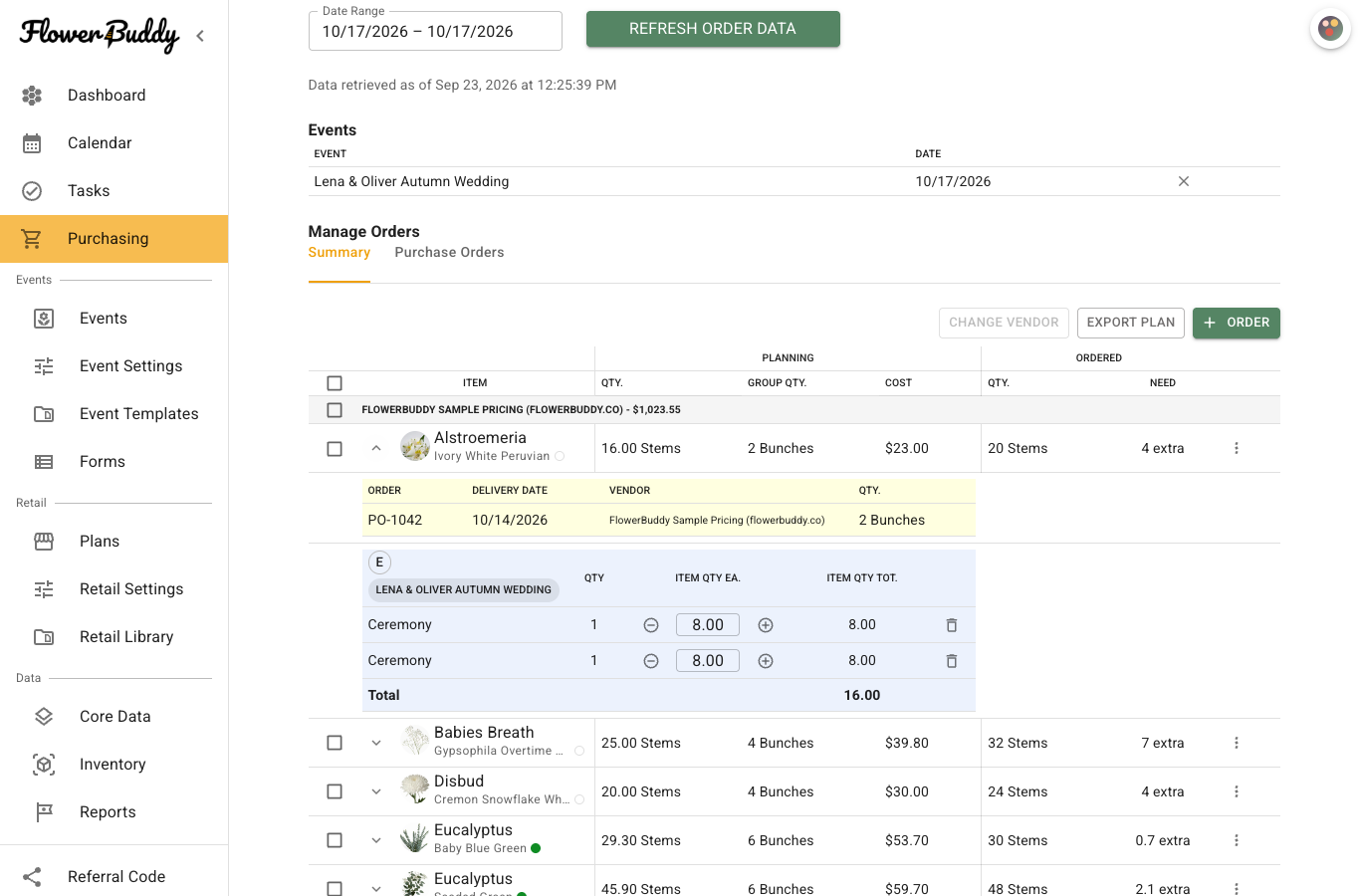
Click the arrow beside an item to expand its details. The breakdown shows which event or plan uses it and the individual recipes contributing to the total.
**Qty** is the number of arrangements; **Item Qty Ea.** is how much of this flower or hard good is used in each arrangement. For example, twelve arrangements using five stems each contribute 60 stems.
To correct an input, edit its quantity in the expanded recipe row. Removing an item there removes it from that recipe, not just from the summary. These changes update the underlying recipe, so use the purchase-order quantities instead when you only want to buy extra supplies.