> For the complete documentation index, see [llms.txt](https://help.flowerbuddy.co/llms.txt). Markdown versions of documentation pages are available by appending `.md` to page URLs; this page is available as [Markdown](https://help.flowerbuddy.co/reference/inventory/inventory/review-and-adjust-inventory-quantities.md).
# Review and adjust inventory quantities
Use an adjustment after a physical count, data correction, or reconciliation. Do not use it for a normal purchase, receipt, pull, or return because those actions have their own transaction types.
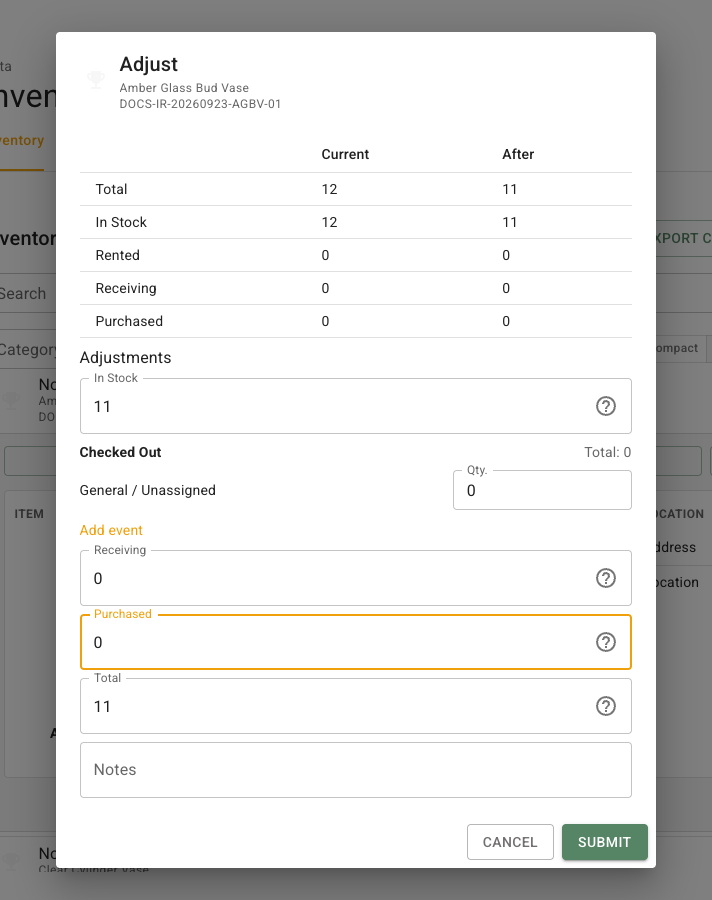
## Correct an item's quantities
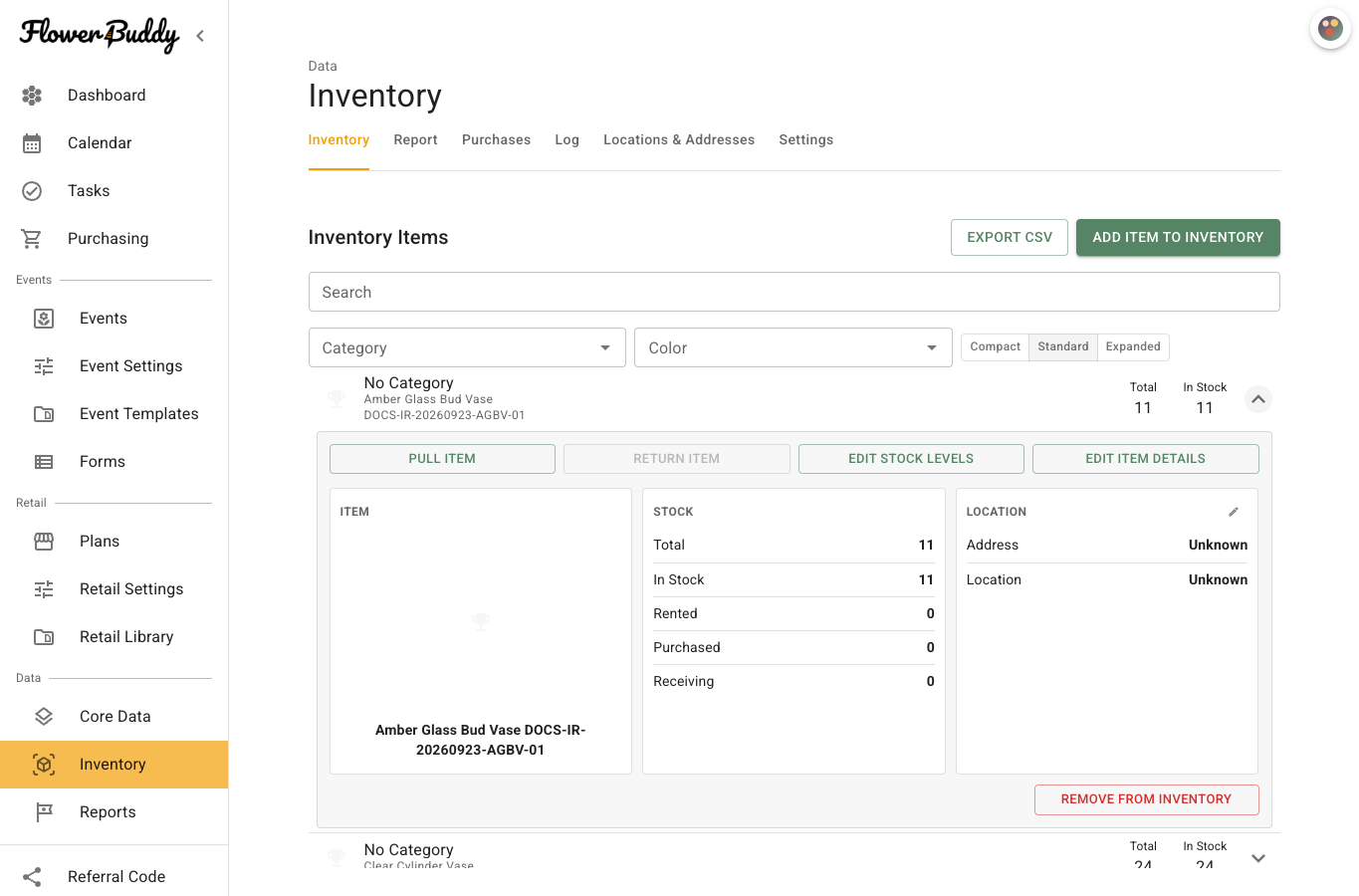
1. Find the item on **Inventory** and expand its row.
2. Select **Edit Stock Levels**.
3. Enter the revised **In Stock**, **Rented**, **Receiving**, and **Purchased** amounts. **Total** must equal their sum.
4. When **Rented** is nonzero, assign that quantity between selected events and **General / Unassigned**.
5. Add a note that explains the correction, then select **Submit**.
For example, a count finds 10 vases in stock, two at an event, and none purchased or receiving. Set Total to 12, In Stock to 10, and Rented to two. Assign both rented vases to the event, or assign one to the event and one to **General / Unassigned**. FlowerBuddy will not save an adjustment when those allocations do not equal Rented.
The saved row shows the corrected counts, and the **Log** records the movement as **Adjust**.
The result changes the current counts and creates an **Adjust** entry in [Log](/reference/inventory/log.md). It does not alter the recipes that need the item or change a shopping-list request. Use [Pull, return, and sell inventory](/reference/inventory/inventory/pull-return-and-sell-inventory.md) when the count is correct and the item is simply moving through its normal handling cycle.