> For the complete documentation index, see [llms.txt](https://help.flowerbuddy.co/llms.txt). Markdown versions of documentation pages are available by appending `.md` to page URLs; this page is available as [Markdown](https://help.flowerbuddy.co/reference/event-page/taxes-discounts-fees/add-and-manage-discounts.md).
# Add and manage event discounts
An event discount reduces the client price. Use a fixed discount for one specific reduction, or a percentage discount when the reduction should be calculated from eligible event line items.
You can add more than one discount. Give each one a name that explains its purpose to the team and, when displayed, to the client.
## Choose percentage or fixed amount
From **Taxes, Discounts, & Fees**, select **Add Discount**, then choose:
* **Percent** to calculate the discount from all or selected eligible line items.
* **Fixed Amount** to subtract one amount from the event.
FlowerBuddy adds a **New Discount** row. Select the name to replace it with a specific description.
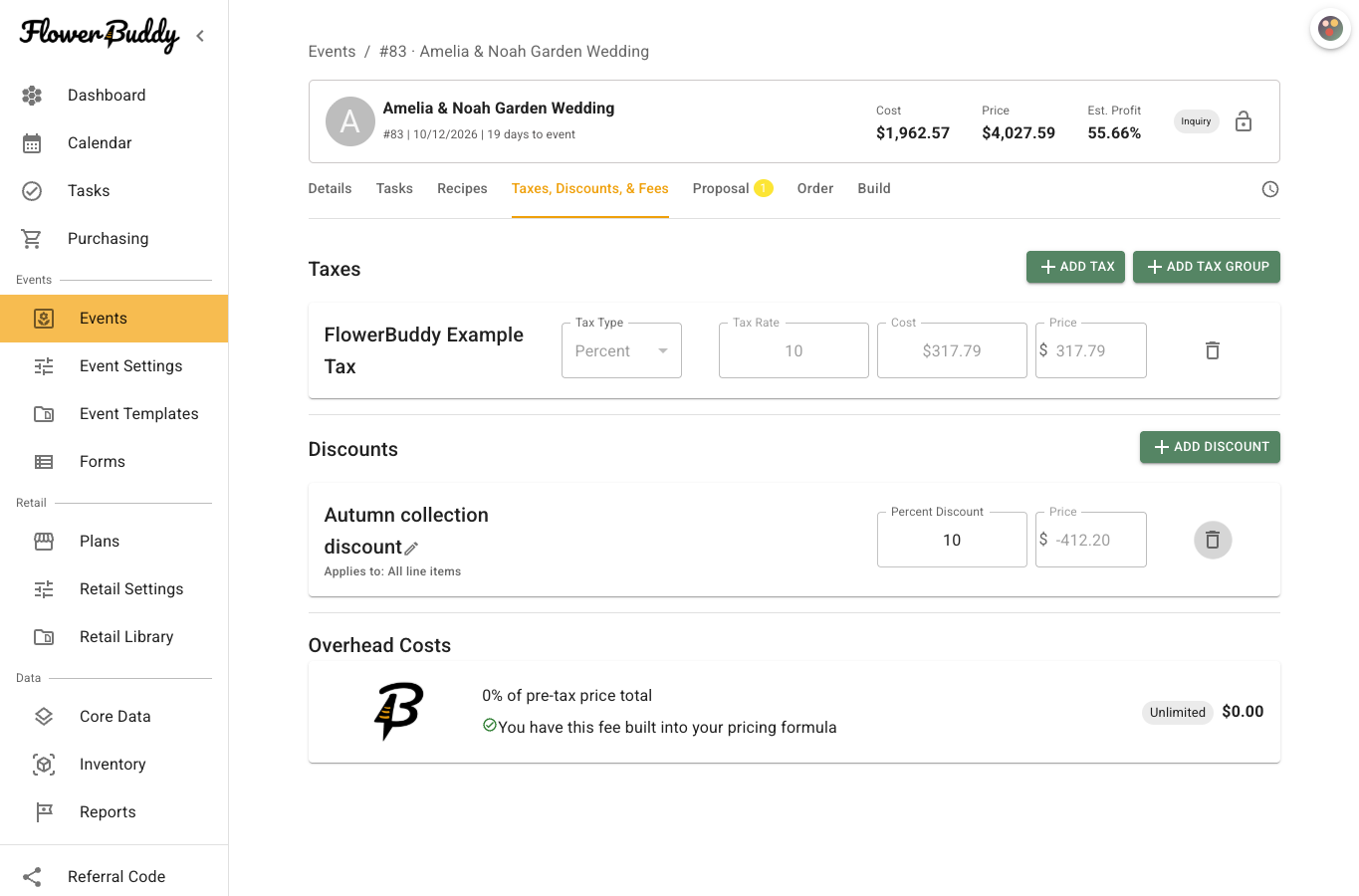
The row keeps the percentage in **Percent Discount** and the calculated reduction in **Price**.
This example uses a 10% discount named "Autumn collection discount." The negative **Price** shows the reduction, and the event's total above reflects the discount. The sample rate is an example, not a suggested discount for your business.
## Set a percentage discount
1. Enter the rate in **Percent Discount**.
2. Select the **Applies to** summary beneath the discount name.
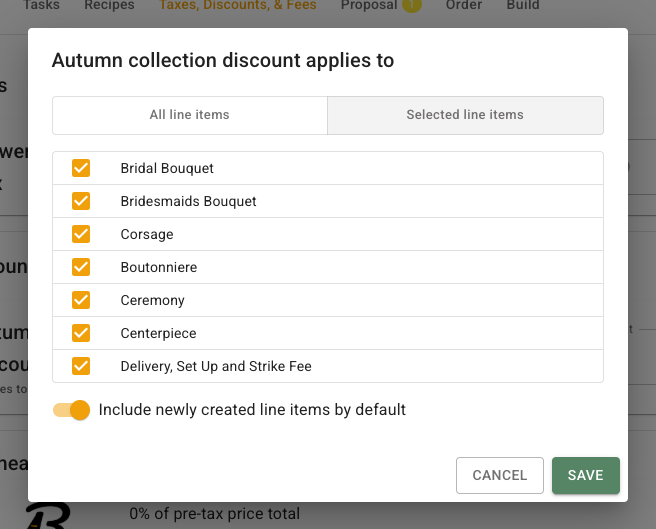
3. Choose **All line items** or **Selected line items**.
4. For a selected set, check each recipe, recipe group, or eligible other cost that belongs in the calculation.
5. Choose whether to **Include newly created line items by default**.
6. Select **Save**.
The discount's Price is calculated automatically as a negative amount. Review the selected lines whenever recipes or other costs are added, grouped, converted, or removed.
The **Selected line items** option lets you choose the designs and costs used in the percentage calculation. The dialog lists each eligible line with a checkbox.
For example, a percentage discount can apply to floral arrangements while excluding a rental line. The selection changes the discount base. It does not change the rental's own price or recipe information.
## Set a fixed-amount discount
Enter the reduction in the discount row's **Price** field. FlowerBuddy treats the discount as a negative amount in event totals.
A fixed discount does not have an **Applies to** selection. It reduces the event by the entered amount rather than calculating a percentage from particular line items.
## Edit or remove a discount
Select the discount name, percentage, Price, or **Applies to** control to update it. Review the Event Page Price summary after every change.
Use the delete button to remove the discount. Before a contract is signed, the row is removed. After signing, removing an included discount records a pricing amendment, and the row can remain visible as deleted until that amendment is resolved.
Discounts also affect the event's tax and final price calculations. After changing one, review the tax Cost and Price as well as the event's subtotal, discounts, tax, and final Price.