> For the complete documentation index, see [llms.txt](https://help.flowerbuddy.co/llms.txt). Markdown versions of documentation pages are available by appending `.md` to page URLs; this page is available as [Markdown](https://help.flowerbuddy.co/reference/event-page/tasks/show-unresolved-event-tasks.md).
# Show or hide tasks with unresolved due dates
An event task has an unresolved due date when its date depends on completing another task or task group that is not complete. FlowerBuddy cannot place that task on a calendar date until the dependency is complete.
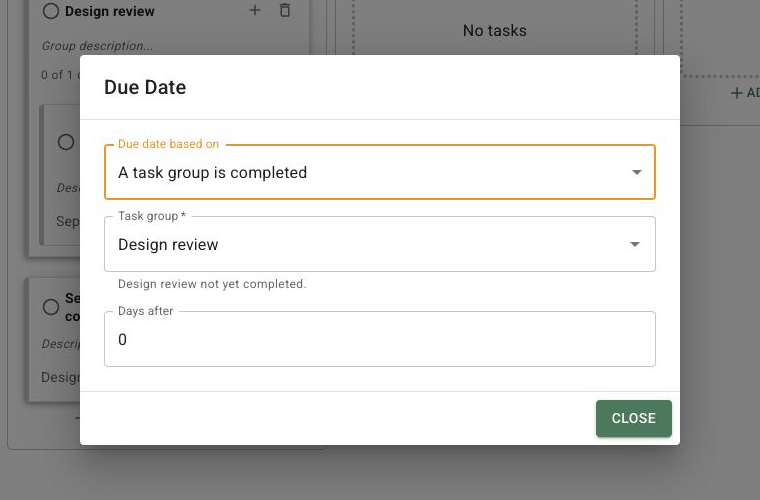
The due-date dialog identifies the unfinished task or group that must be completed before FlowerBuddy can calculate the dependent task's date.
## Unresolved due dates
A task can use another task's completion or a task group's completion as its date source. For example, a follow-up may be due two days after "Confirm centerpiece quantities" is completed. Until that earlier task is complete, the follow-up has a due-date rule but no calculated date.
An unresolved task is different from an overdue task. An overdue task has a calculated date in the past and is still unfinished. An unresolved task has no calculated date yet.
## Show unresolved work
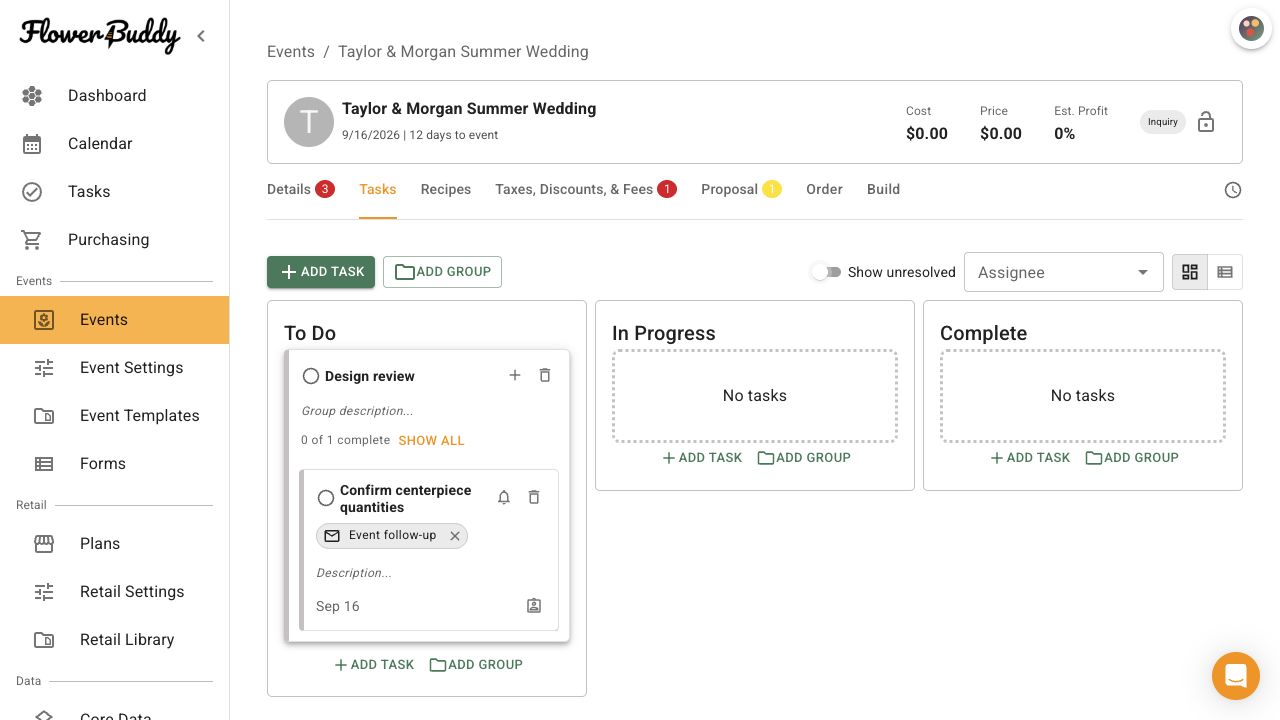
On the event's **Tasks** tab, leave **Show unresolved** on to include unfinished tasks whose dates cannot yet be calculated. This keeps dependent work visible while the earlier task or group is still open.
Turn **Show unresolved** off to hide unresolved tasks. Groups whose only visible child tasks are unresolved are hidden as well. Completed tasks remain visible. This switch changes the current event's Tasks view and does not change any task's due-date rule or completion status.
With **Show unresolved** off, the event Tasks board can hide the unresolved child while leaving the task group and completed work visible.
## Calculated dates after completion
When the task or task group used as the dependency is completed, FlowerBuddy can calculate the dependent task's date from that completion date and its offset. The dependent task then appears with its calculated date when it matches the current view. Completing the dependency does not itself complete the dependent task.